
TLDR:PSA software (professional services automation) is a system that runs the whole money side of a business that sells time and expertise: quotes, resourcing, project tracking, timesheets, billing and reporting, all in one place. It is not just project management software. Project tools track the work; PSA tools track the work and whether it makes money.
- PSA = project management plus time, fees, WIP, invoicing and profitability in one connected system.
- It differs from CRM: CRM wins the work before the contract; PSA handles everything after it.
- Typical modules: resourcing, project financials, time and expense, billing, WIP and revenue reporting.
- If you run a 5 to 50 person practice on spreadsheets and a separate PM tool, you are the classic PSA candidate.
If you have ever ended a month unsure which projects made money, or found work you did but never billed, PSA software is built for exactly that problem. Here is what it is, how it works, and how to judge whether your firm actually needs one.
What PSA Software Actually Is
Professional services automation (PSA) is software designed for firms whose product is their people’s time: architects, engineers, surveyors, planning consultants, ecologists, consultants and agencies.
A PSA platform connects the whole journey of a job, from the fee proposal through to the final invoice and the profit report. When a fee proposal is won, the job, its budget and its stage structure already exist in the system. When staff log time, that time flows against the right project and the right fee budget. When the invoice goes out, it draws on that logged time, agreed fees and any variations. And when a director opens a dashboard, they see margin by project, WIP and utilisation, calculated from the same data.
That connection is the whole point. Standalone tools each do one piece well; PSA makes the pieces agree. TechTarget’s definition of professional services automation describes it the same way: a suite that replaces separate tools for resource planning, billing, time tracking and project management.
The term itself is American and enterprise-flavoured. In the UK, especially in the built environment, people often say ‘practice management software’ for much the same category. If you have heard vendors use both terms, they are usually describing the same job: running a professional practice’s projects, people and money in one system. Analyst pages such as Kantata’s PSA overview and Kaseya’s PSA primer describe the category in those enterprise terms.
What PSA Automates Across the Client Lifecycle
A PSA system mirrors how the work actually flows through a practice. For each stage, there is a module doing a specific job.
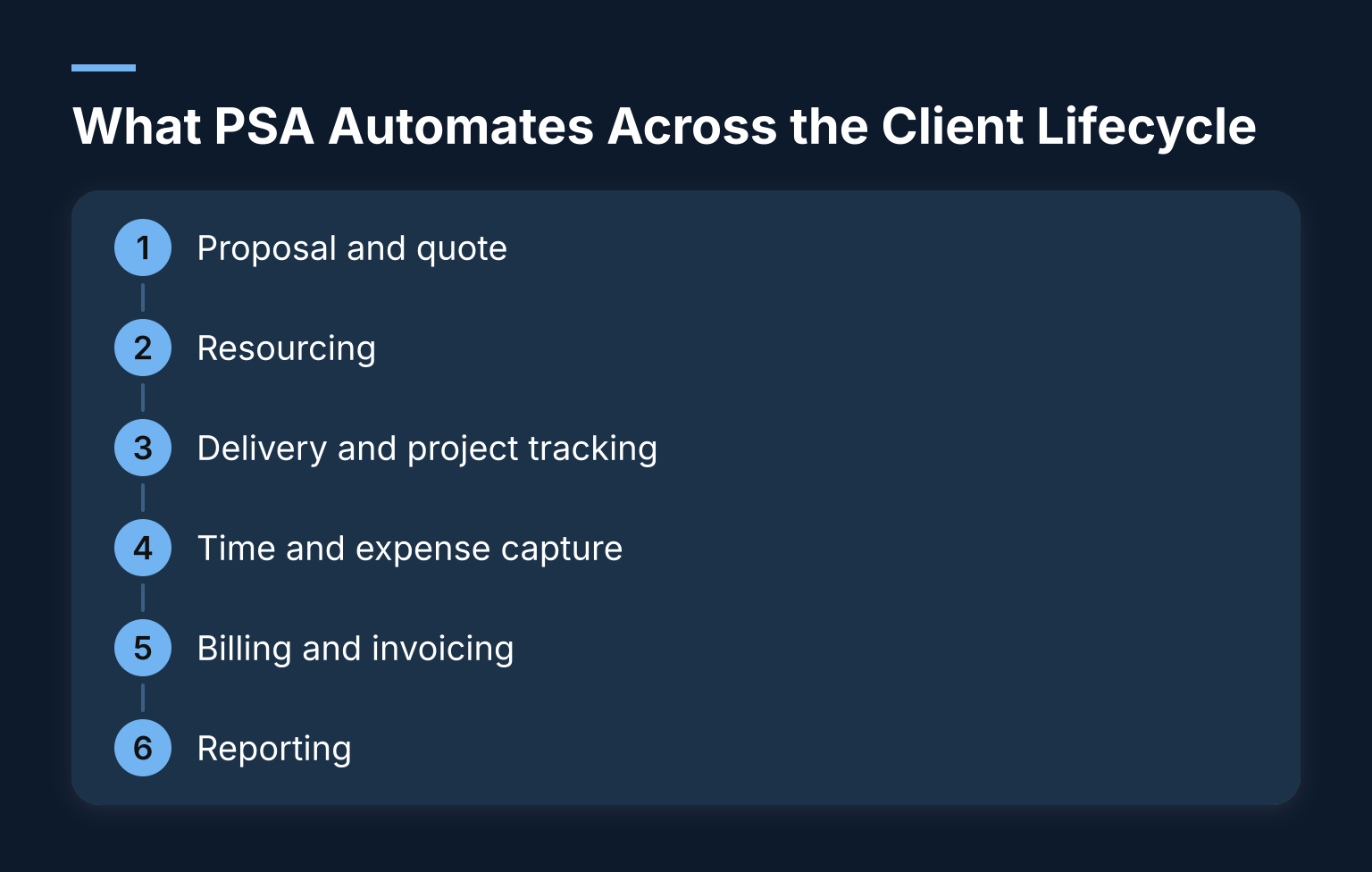
- Proposal and quote. Fee proposals are built, priced and approved in the system. When signed, the proposal becomes a project with a fee budget attached, without re-typing anything.
- Resourcing. You assign people to jobs against their real available hours, so you can see a fortnight out that two people are double-booked while a third is quiet.
- Delivery and project tracking. Tasks, milestones and, in built-environment terms, RIBA Plan of Work stages, tracked against the fee budget for each.
- Time and expense capture. Timesheets and expenses post straight against the right job, which feeds utilisation and cost data automatically.
- Billing and invoicing. Draft invoices come from logged time, agreed stage fees and any variations. Many UK firms push these into Xero, so timesheets, invoices and the ledger agree.
- Reporting. Margin by project, WIP, utilisation and cash, all from the same source.
The through-line: data is entered once, usually by the person closest to it, and every downstream step uses it.
The Core Modules, Explained
Not every PSA tool has every module, and smaller tools often bundle several into one screen. But the consensus set, seen across vendor explainers from Kaseya, SAP and Teamwork, is consistent:
Resource and capacity planning. A view of who is on what, when, and how much capacity remains. This is what turns ‘we’re all busy’ into ‘the planning team is 140% allocated in March’. For architecture practices, resource planning against fee budgets is often the difference between a profitable stage and an invisible write-off.
Project financials. Fee budgets per project, costs charged against them, and live views of what is left. In a built-environment practice this is the fee budget by RIBA stage, with scope changes and variations logged against the contract rather than in an email thread.
Time and expense capture. Timesheets that people actually fill in, feeding cost, utilisation and billing. If time entry is painful, everything downstream is fiction.
Billing and invoicing. Generating invoices from work actually recorded, including stage-based invoicing and variations, and passing them to the accounting system. Getting time, invoices and Xero to agree is one of the most common goals we see in UK practices.
WIP and revenue forecasting. Work in progress: value earned but not yet billed. Unbilled WIP is where fees quietly disappear in professional services. If you want the full detail, we have a separate guide to WIP accounting for architects.
Dashboards, utilisation and profitability. The layer directors actually look at: which projects make money, who is over or under capacity, and what cash is coming.
One more thing worth knowing: a connected system is also the base for wider automation. Once time, fees and invoices live in one place, you can automate the repetitive admin around them, from invoice chasing to recurring reports. We cover that wider picture, including where AI fits safely, in our guide to automation and AI strategy.
PSA vs Project Management Software: The Money Layer
This is the confusion worth clearing up, because the two categories look similar in screenshots.
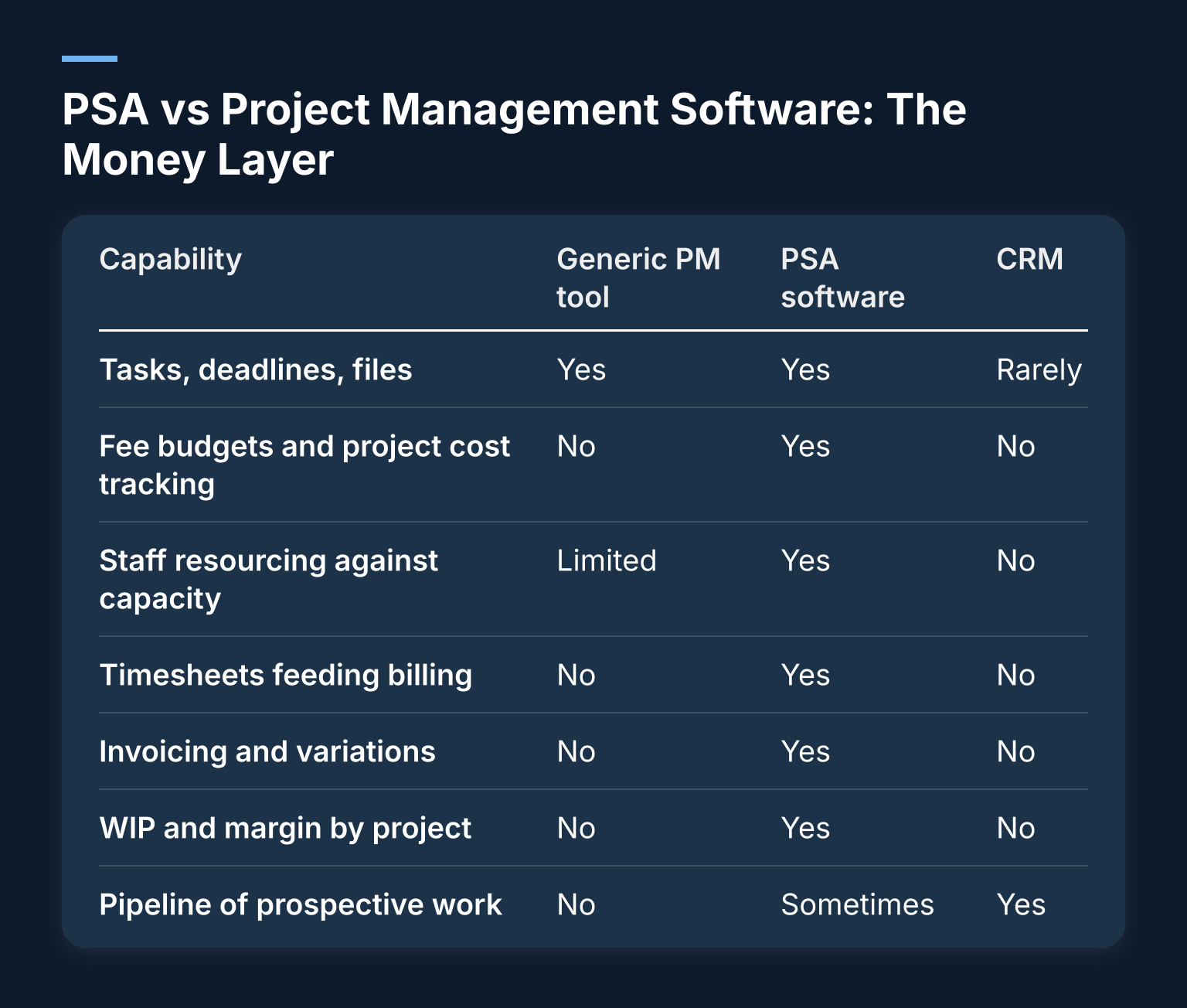
Project management software organises work: tasks, deadlines, files, comments, boards. It is excellent at that and genuinely useful. But it knows nothing about money. It does not know the fee, does not care how many hours were spent, and cannot tell you the project is running at a loss. Projectworks, which sells into this debate from the PSA side, puts it plainly in its own PSA vs project management comparison: one tool tells you whether a project is on track, the other tells you whether the firm is making money.
PSA software contains project management and the money layer on top: budgets, time costs, billing, WIP and margin. The same job card in a PSA system is connected to a fee budget and a timesheet.
| Capability | Generic PM tool | PSA software | CRM |
|---|---|---|---|
| Tasks, deadlines, files | Yes | Yes | Rarely |
| Fee budgets and project cost tracking | No | Yes | No |
| Staff resourcing against capacity | Limited | Yes | No |
| Timesheets feeding billing | No | Yes | No |
| Invoicing and variations | No | Yes | No |
| WIP and margin by project | No | Yes | No |
| Pipeline of prospective work | No | Sometimes | Yes |
A practical test: if your project tool cannot answer ‘has this job used more of its fee budget than the work delivered justifies?’, it is a PM tool, not a PSA system.
PSA vs CRM: What Each One Is For
A CRM (customer relationship management) system manages the before: contacts, leads, pipeline, proposals, winning the work. A PSA system manages the after: delivering the work, resourcing it, timing it, billing it and reporting on it.
The two overlap at exactly one point: the proposal and fee quote. Some PSA tools produce fee proposals; some CRMs can track a deal’s value. Beyond that they are different systems. If your main pain is losing track of prospective clients, you have a CRM problem. If your main pain is finding out at invoice stage that a project lost money, you have a PSA problem. Larger firms run both; a 15-person practice usually does not need to.
Why Spreadsheets and Point Tools Stop Working
Nobody sets out to run a practice on spreadsheets. It happens one tab at a time: a fee tracker, a resource grid, a WIP sheet, a variations log. Each works alone, and that is exactly the problem.
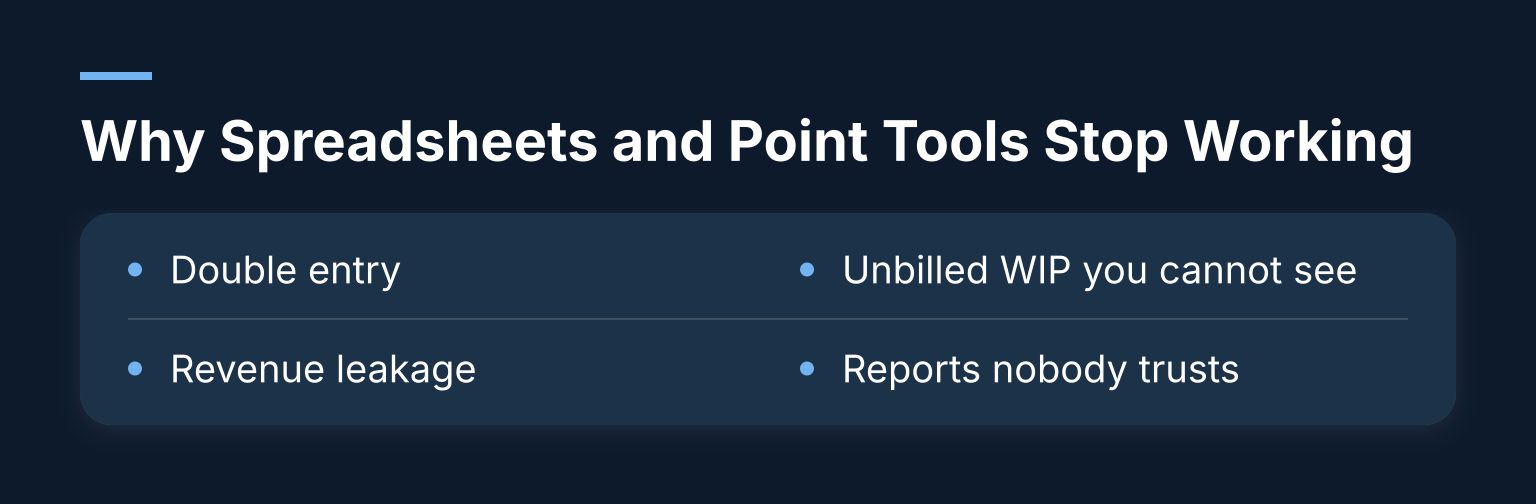
- Double entry. The same fee appears in the tracker, the project folder and the invoice draft. Each copy drifts.
- Revenue leakage. Variations get agreed by email, the work gets done, but the change never becomes an invoice line. Multiply one unbilled variation a month by your average variation fee and the annual loss is uncomfortable.
- Unbilled WIP you cannot see. Work is delivered and sits unbilled because nobody is looking at one number across all projects.
- Reports nobody trusts. Margin spreadsheets are only as good as the last manual paste, so directors stop believing them, and stop acting on them.
We have written in more depth about why spreadsheets fail for project management, and the pattern holds across professional services. The pain PSA solves is not a missing feature; it is the absence of one connected source of truth.
Who PSA Suits, and Signs You Have Outgrown Your Setup
PSA software suits firms that sell time and expertise and price by fee, stage or hour. If your revenue is a function of people’s logged time and agreed fees, the category exists for you. That covers architects, engineers, surveyors, planning consultants and the wider group of professional services firms our professional services work is built around.
Signs a 5 to 50 person practice has outgrown spreadsheets plus a basic PM tool:
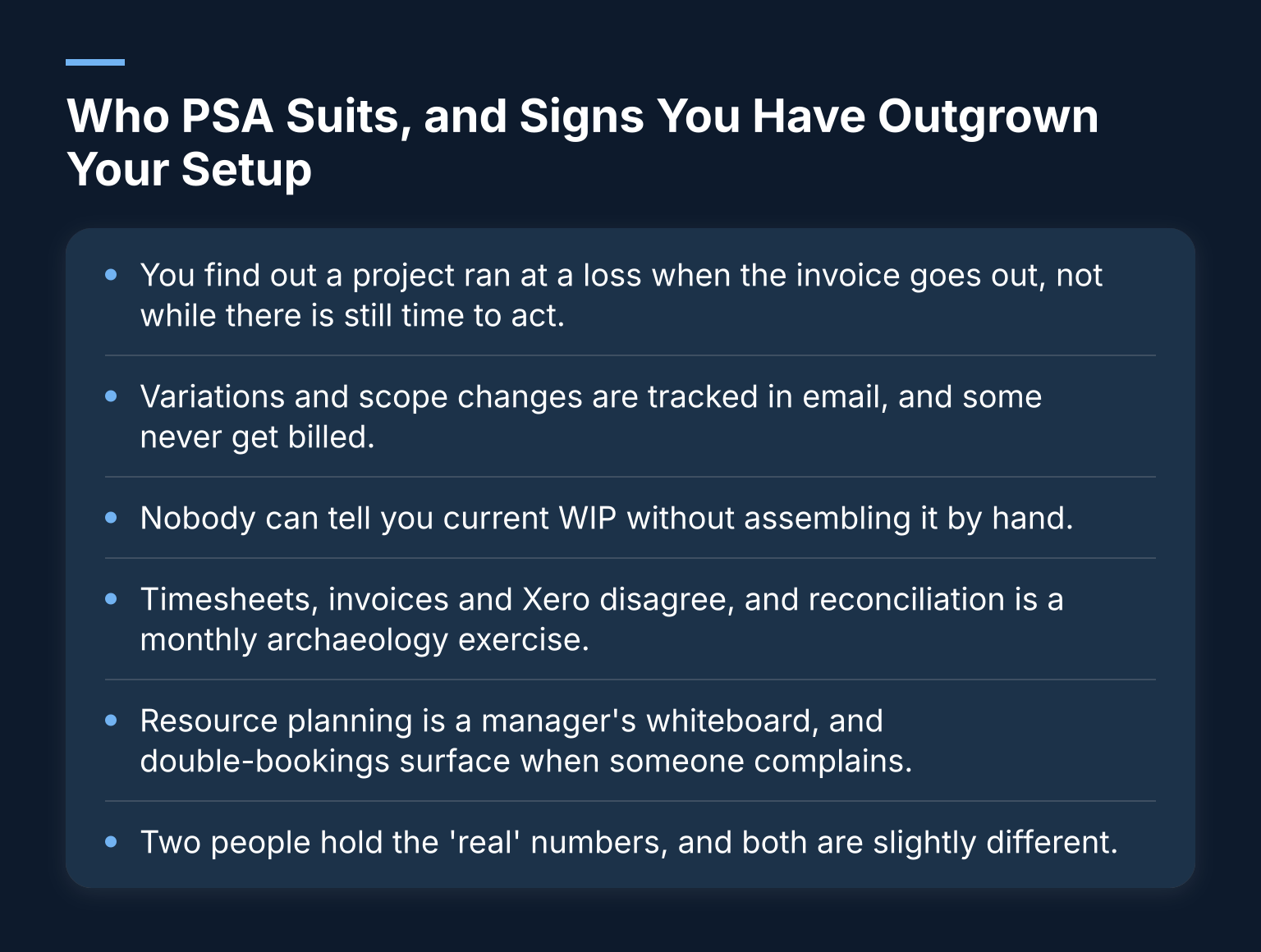
- You find out a project ran at a loss when the invoice goes out, not while there is still time to act.
- Variations and scope changes are tracked in email, and some never get billed.
- Nobody can tell you current WIP without assembling it by hand.
- Timesheets, invoices and Xero disagree, and reconciliation is a monthly archaeology exercise.
- Resource planning is a manager’s whiteboard, and double-bookings surface when someone complains.
- Two people hold the ‘real’ numbers, and both are slightly different.
If two or more of those are familiar, the gap is no longer effort; it is architecture.
Examples of PSA Software
There is no single ‘PSA’ product. The category spans a few tiers:
- Enterprise PSA suites built for large consultancies, such as Kantata, Deltek and SAP’s PSA offerings.
- Mid-market PSA and practice management tools, including CMap, Total Synergy, Projectworks, Productive, Scoro and BQE.
- Lighter project-plus-time tools, such as Harvest or Monday, which cover parts of the job without the full financial layer.
- Xero-connected project systems such as WorkflowMAX and Fresh Projects, which sit inside a Xero-centred stack and handle jobs, time, costs and invoicing.
We are deliberately not ranking these, and we will not quote prices here because they change and vary by market; check each vendor’s own site for current pricing. The right fit depends on your workflows, your accounting setup and how you bill, and comparing them honestly is its own exercise. If you want to see how two Xero-connected options differ, our WorkflowMAX vs CMap and WorkflowMAX vs Synergist comparisons walk through the tradeoffs.
What Implementation Actually Involves
From the implementations we run, setup and habits decide the outcome far more than the brand on the licence does. A realistic implementation for a small practice looks like this:
- Map your real workflows first. How do fees, stages, variations and approvals actually work in your practice? Software should follow that, not the reverse.
- Migrate the data that matters. Live projects, active fees, WIP. Historic clutter can stay archived.
- Configure stages and billing rules. Fee splits by stage, variation handling, invoice templates, and the Xero connection.
- Train for the habits, not the buttons. Timesheet compliance and variation logging are culture changes; training that ignores this gets you a shelfware licence.
- Build the reports you will actually check. Margin by project, WIP, utilisation, cash. Three trusted reports beat thirty ignored ones.
Expect the first month after go-live to be where the system either sticks or quietly reverts to spreadsheets. Plan support for that window, not just the launch day.
A Practical Next Step
You do not need to decide between vendors to make progress. Start with the diagnosis: where do fees, time and invoices currently disagree, and which of the outgrown signs above apply to you? That tells you whether you need a PSA system, a better-configured existing one, or simply tighter habits around the tools you already pay for.
That diagnosis is exactly what a discovery call is for. If you would like an outside, plainspoken view of your current systems, what is working and what the sensible next steps are, book a discovery call with Hyphen Digital. We help UK built environment and professional services firms implement, fix and support the systems behind their work, and we will tell you honestly if you do not need new software.